Paper Overlay
A native macOS menu-bar utility that overlays a subtle, GPU-rendered paper-grain texture across your whole screen to reduce digital eye strain.
Free · macOS 13+ · source on GitHub
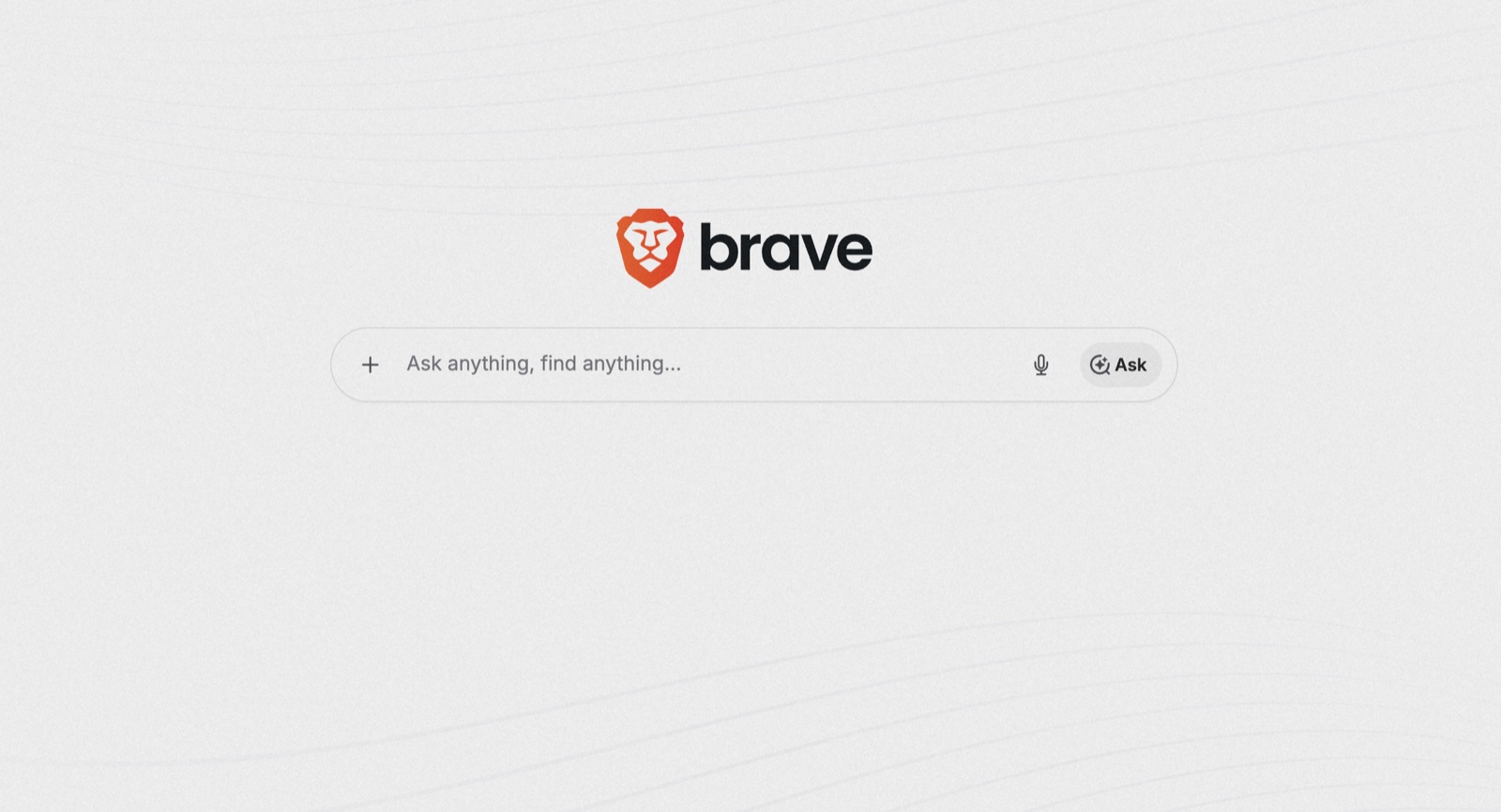
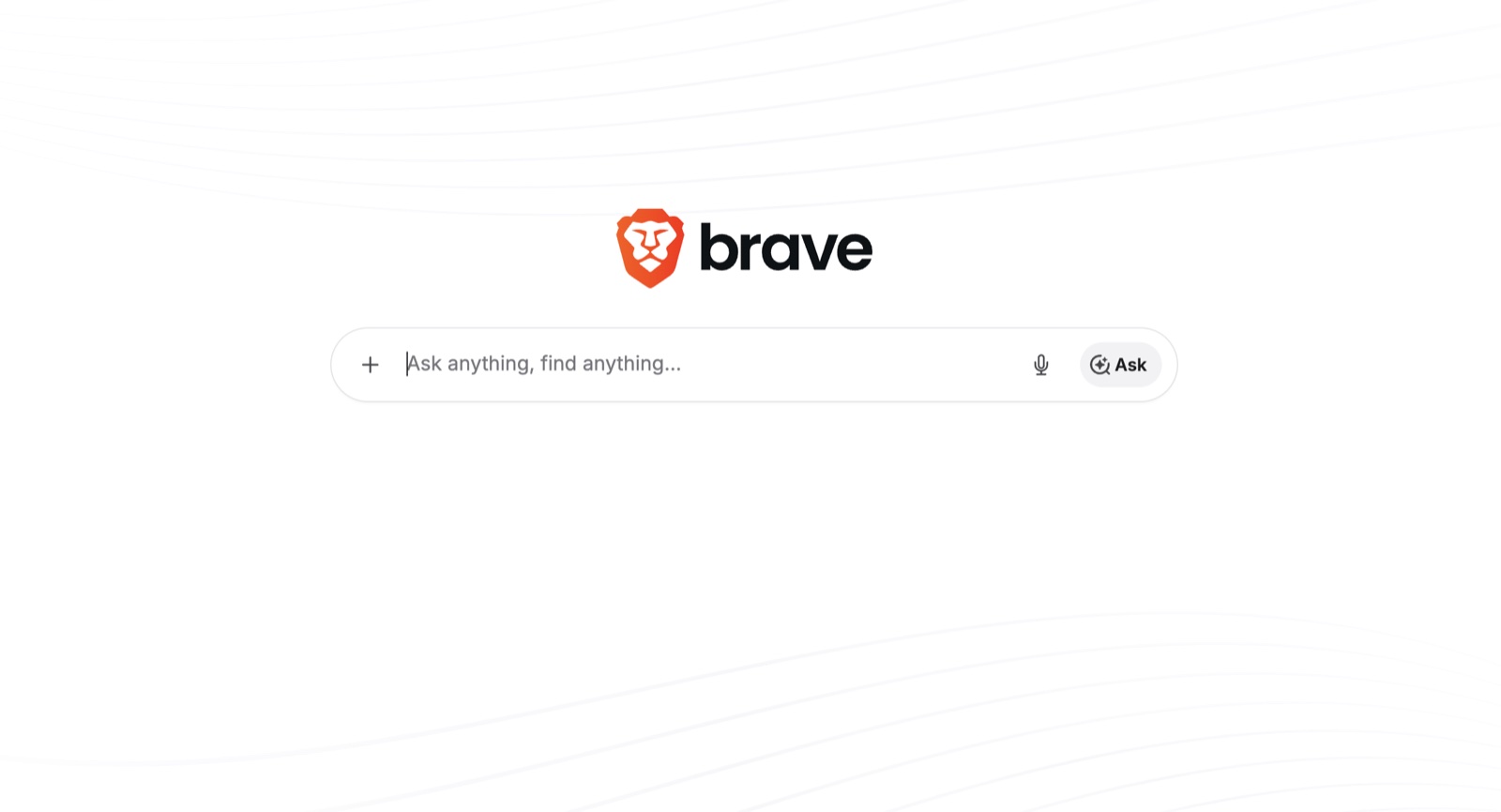
See the difference
Drag the handle to compare a bare screen with the paper texture on — and try the presets.
Features
- 🖥️ Lives in the menu bar — no Dock icon, no windows
- ⚡ GPU-rendered grain, ~zero idle usage
- 🖱️ 100% click-through — never blocks input
- 🖥️🖥️ Multi-monitor, hot-plug, mixed Retina
- 🎨 5 presets + unlimited custom ones
- 🔒 No network, no permissions, fully private
Install in 3 steps
Requires macOS 13 Ventura or newer. Paper Overlay is unsigned, so macOS warns you once — that's expected, and here is exactly what to do:
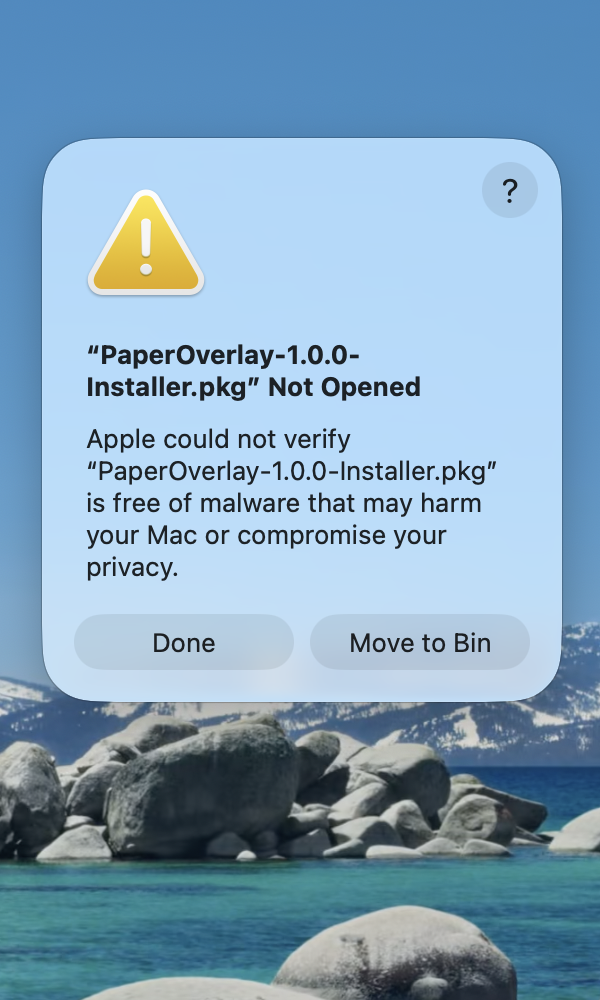
1 Click "Done"
Double-click PaperOverlay-Installer.pkg. macOS shows this warning because the app isn't signed with an Apple Developer certificate — it's safe. Click Done (not "Move to Bin").
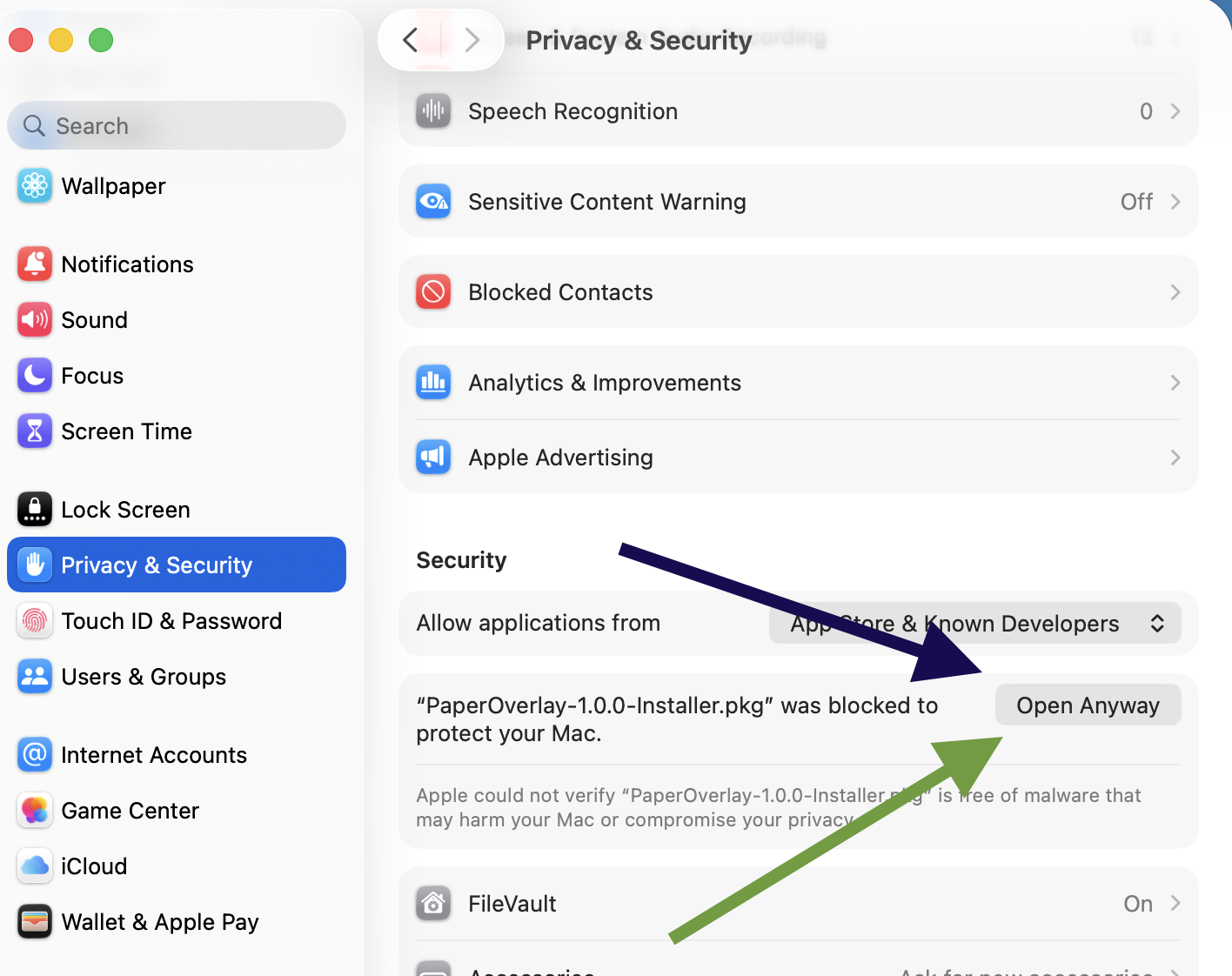
2 Allow it in System Settings
Open System Settings → Privacy & Security, scroll to the bottom, and click Open Anyway. Confirm when asked. You'll only ever do this once.
3 Run the installer
Click through Continue → Install. When it finishes, look for the page icon in your menu bar — no more security prompts, ever.
A .dmg alternative and full details are in the README.